Motivations 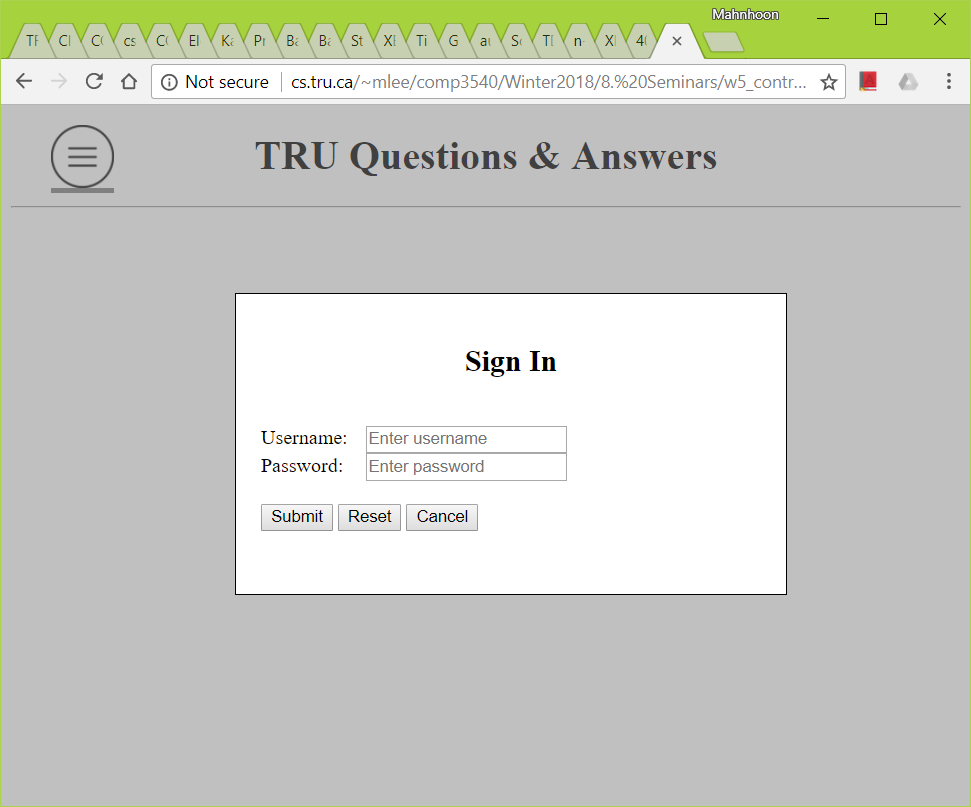
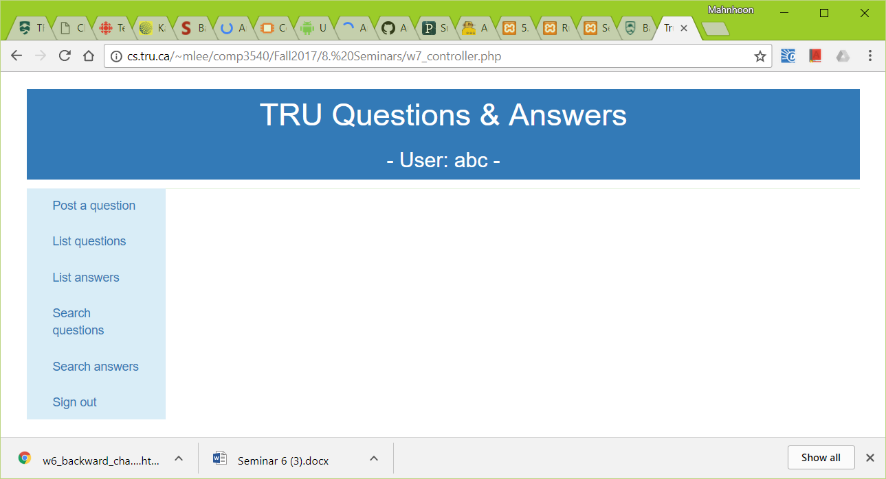
Let's consider this situation in TRUQA: You need to handle 'SignIn' (or 'LogIn'), 'Join' (or 'SignUp'), and 'ForgotPassword'. You can develop three different PHP programs for the three software modules. But they are very similar modules. Isn't it better to develop just one PHP program and handle all the three software modules together within the program?- Then what kind of application/software architecture do you need to use?
Prerequisites - PHP basics
- How PHP code gets data from the client-side
- How PHP code sends data to the client-side
Learning objectives and outcomes - Use of MVC application architecture
MVC basic Read all in Basic MVC Architecture. - List the three components.
- Read the first paragraph and 'Description' in Model-view-controller.
What is the controller responsible for?
The controller is responsible for responding to the user inputs and perform interactions on the data model objects. The controller receives the user inputs, it validates the input and then performs the business operation that modifies the state of the data model.
One good idea is to include a) page name, b) command or request type, and c) additional information in the form.- In TRUQA, we have three different types of user inputs from 'StartPage' - 'SignIn' (or 'LogIn'), 'Join' (or 'SignUp'), and 'ForgotPassword'. A few more different types will be added later. The question is how to distinguish the three types of user inputs in the controller.
Any good idea? - Any good idea to send data without displaying it to the user or obtaining it from the user?
- There is one input type for this purpose.
What is it?
'hidden'<form action='controller.php' method='POST'> <-- in view_startpage.php --> <input type='hidden' name='page' value='StartPage'> <input type='hidden' name='command' value='SignIn'> <input type='text' name='username'> <input type='password' name='password'> <input type='submit'> </form> Here is an example of controller.php with the above <form>. <?php //---- Case 1 ---- if (empty($_POST['page']) { // What does this mean? include("view_startpage.php"); // Logically the code in "view_..." will be copied to this position. exit(); } $page = $_POST['page']; //---- Case 2 ---- if ($page == 'StartPage') { $command = $_POST['command']; // In view_startpage.php, an input in a form, of which type is 'hidden' and name is 'command'. switch($command) { case 'SignIn': ... exit(); // or break when there is something more to do after switch case 'Join': // or 'SignUp; ... exit(); case 'ForgotPassword': ... exit(); default: ... exit(); } } //---- Case 3 ---- else if ($page == 'MainPage') { ... exit(); } //---- Case 4 ---- else { ... exit(); } ?>Trial 0.5 Case 1: Assuming the GET method, let's check if the 'page' value is empty. If so, include "e5_view_startpage.php" and exit. Note that "e5_view_startpage.php" includes the client-side code.
Trial 1 Case 2: Let's try to route the command sent from the client.
- What if there are a lot of things to do for each command, such as accessing DB and generating new client side code?
- Another question is how to use Controller with Model and View? How to logically separate Controller, Model, and View?
PHP include() and require() 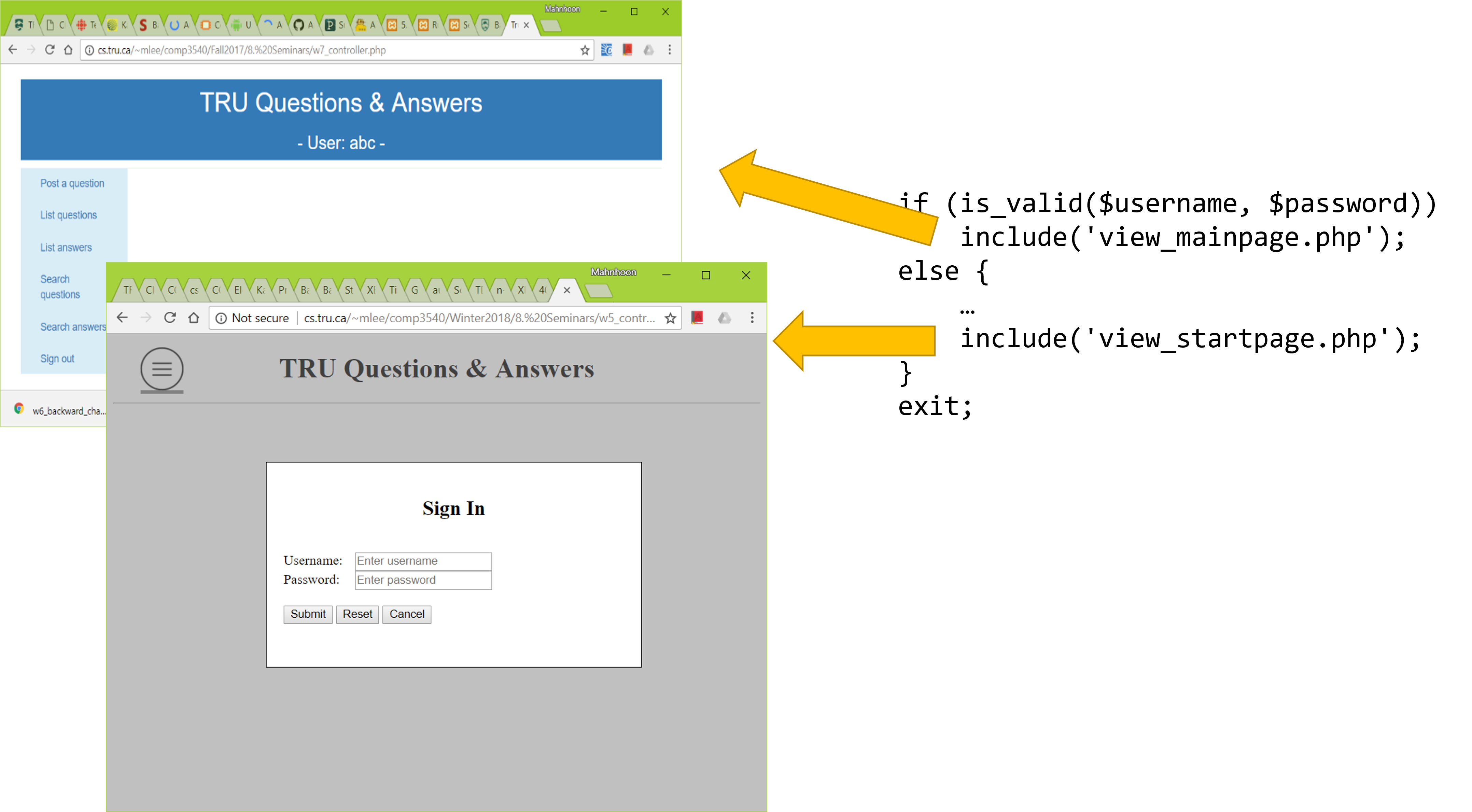
- The controller receives the user input. If there are many different types of user input, the code of the controller would become long and lose readability.
- Can you implement the code for 'SignIn' in another PHP program and somehow execute the program from Controller?
- Here is another motivation. Can you implement some useful common features/variables/functions in a PHP program and use the program with other PHP programs?
Read all in PHP Include Files. include()andrequire()are like the import statement in Java and the include statement in C.- How are
include()andrequire()different? - When AA.php includes or requires BB.php, all the code in BB.php will be logically copied into AA.php and the PHP code will be executed.
Can all the variables in AA.php, that are declared before the inclusion of BB.php, be used with the code in BB.php?
YESWhen AA.php includes or requires BB.php, can all the variables in BB.php be used in AA.php after the inclusion?
YES- The two questions in the above are very important when you use MVC with PHP. This is how Controller sends information to View/Model and how View/Model sends information to Controller.
- There are two other variants -
include_once()andrequire_once(). Here is another example of controller.php and view_startpage.php. -
<!-- controller.php -->
<?php
...
$display_modal_window = 'signin';
include ('view_startpage.php');  // When controller.php is executed,
                                 // this will be replaced by the code in 'view_startpage.php'.
...
?>
---------------------------------------
<!-- view_startpage.php -->
...
window.addEventListener('load', function() {
    ...;
    <?php
        if ($display_modal_window == 'signin')
            echo 'show_signin();'; // send JavaScript code to the client
    ?>
});
...
function show_signin() {
    ...
}
...
- The 'include' statement in the above controller will include the view_startpage.php in the controller and the included code is executed.
In this example, logically speaking,
$display_modal_windowis used to pass information to the code in vew_startpage.php. After the inclusion, controller.php becomes like<!-- controller.php --> <?php ... $display_modal_window = 'signin'; ?> ... window.addEventListener('load', function() { ...; <?php if ($display_modal_window == 'signin') echo 'show_signin();'; // echo JavaScript code ?> }); ... function show_signin() { ... } ... <?php ... ?> What HTML/CSS/JS content will be sent to the client after the above PHP code in controller.php is executed with $display_modal_window = 'signin'?... window.addEventListener('load', function() { ...; show_signin(); ... }); ... function show_signin() { ... } ...
-
Trial 2.1 Case 1 - continue: Let's practice include/require statement. How to pass data.
Trial 2.2 Case 2 - continue: Let's practice include/require statement.
Trial 2.3 Case 1 - continue: Let's try to include view_startpage.php in controller.php. Try this exercise twice with 'none' and 'siginin'. How are they different? (Note. Popup windows should not be blocked.)
Here is an example of TRUQA. - TRUQA uses only two web pages.
- Start web page - initially no SignIn box; accepts commands, such as SignIn (or Login), Join (or SignUp), ForgotPassword, ..., and submits them to the controller
- Main web page - accepts some other commands, such as SignOut, Search, ..., and submits them to the controller
All user inputs including commands will come to controller.php. How can controller.php distinguish commands? Several cases. - Case 1: controller.php is directly accessed. Not from StartPage nor MainPage.
- Case 2: Or some commands come from StartPage.
- Case 3: Or some commands come from MainPage.
- How many different types of values must be submitted to controller.php?
controller.php - controller; This is the URL of the application, TRUQA. <?php // Case 1: When no page value is sent from the client if (empty($_POST['page'])) { // That is, controller.php is the URL of TRUQA. http://cs.tru.ca/.../controller.php // No POST or GET data comes. // You may use if (!isset($_POST['page'])) instead of empty(...). $display_modal_window = 'none'; // This variable will be used in 'view_startpage.php'. // It will display the start page without any modal window, i.e., no SignIn box, no Join box, ... include ('view_startpage.php'); // The user will see StartPage without any modal window on. exit(); } require('model.php'); // This file includes some routines to access DB. ... // Case 2: When a command comes from StartPage if ($_POST['page'] == 'StartPage') { $command = $_POST['command']; switch($command) { // When a command is sent from the client through the SignIn modal window case 'SignIn': // With username and password if (there is an error in username and password) { $error_msg_username = '* Wrong username, or'; $error_msg_password = '* Wrong password'; // Set an error message into a variable. // This variable will used in the form in 'view_startpage.php'. $display_modal_window = 'signin'; // It will display the start page with the SignIn box. // This variable will be used in 'view_startpage.php'. include('view_startpage.php'); // The user will see StartPage with the SignIn modal window on. } else include ('view_mainpage.php'); // The user will see MainPage. exit(); case 'Join': // or 'SignUp' with username, password, email, some other information ... exit(); ... } } // Case 3: When a command comes from 'MainPage' else if ($_POST['page'] == 'MainPage'){ ... } ?>view_startpage.php - view; Note that this is NOT the URL of the application. <!DOCTYPE html> ... <body> ... <div id='signin-box' style='display:none; ...'> <form id='signin-form' method='POST' action='controller.php'> <input type='???' name='page' value='StartPage'><br> <input type='???' name='command' value='SignIn'><br> Username: <input ...> <?php if (!empty($error_msg_username)) echo $error_msg_username; // Display error message if there is ?><br> Password: <input ...> <?php if (???) echo $error_msg_password; ?><br> <input type='submit'> </form> </div> ... <script> function show_signin() { ???? } ... <?php // Can you study this code carefully? if (??? == 'none') // The variable, $display_modal_window, is set in controller.php before include('view_startpage.php'); ; else if (??? == 'signin') echo 'show_signin();'; else if ... ?> ... </script> ... </body>
When$display_modal_windowis'none', the following code is sent to the client. Note that the code to invokeshow_signin()is not included.<!DOCTYPE html> ... <body> ... <div id='signin-box' style='display:none; ...'> <form id='signin-form' method='POST' action='controller.php'> <input type='???' name='page' value='StartPage'><br> <input type='???' name='command' value='SignIn'><br> Username: <input ...> <br> Password: <input ...> <br> <input type='submit'> </form> </div> ... <script> function show_signin() { ???? } ... </script> ... </body>
When$display_modal_windowis'signin',$error_msg_usernamehas'* Wrong username, or', and$error_msg_passwordhas'$ Wrong password', the code sent to the client is<!DOCTYPE html> ... <body> ... <div id='signin-box' style='display:none; ...'> <form id='signin-form' method='POST' action='controller.php'> <input type='???' name='page' value='StartPage'><br> <input type='???' name='command' value='SignIn'><br> Username: <input ...> * Wrong username, or<br> Password: <input ...> * Wrong password<br> ... </form> </div> ... <script> function show_signin() { ???? } ... show_signin(); ... </script> ... </body>- view_mainpage.php - view; Note that this is NOT the URL of the application.
Trial 3 Case 2 - continue: Let's study view_startpage.php a bit again. Try different values, 'join' and 'none', for $display_modal_windowas well.
- TRUQA uses only two web pages.
Some review questions and learning outcomes - Use of MVC for web applications.
- Understand how two PHP files can be used together, especially sharing of variables.

